I really like seeing my year-to-year yarn usage, so I’ve been using Ravelry’s Organize feature to track it out for over a decade. Here’s how to do it:
First, create a tag you’ll use on all your projects:
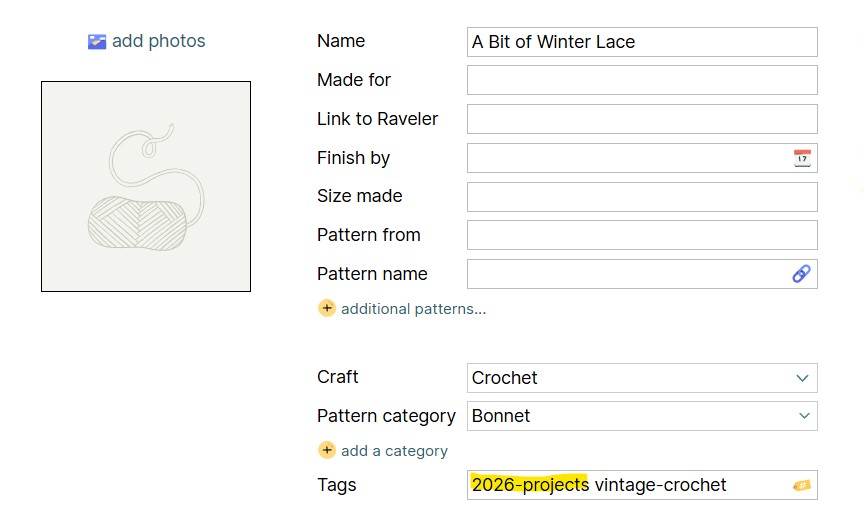
If you use more than one word, the hyphen will keep them together.
After you’ve created a tag, go to the My Projects page and click Organize:

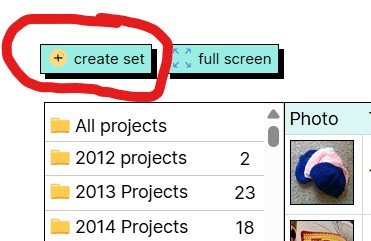
On the Organize page, click ‘create set’:
Fill in the ‘create set’ box:
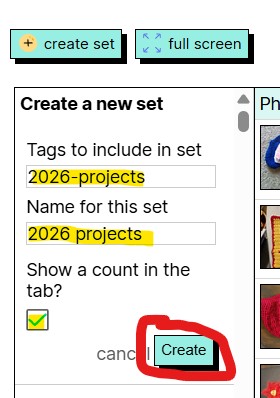
If you click “Show a count in the tab,” it’ll show up on your My Projects page with the title you set in ‘Name for this set’.
And that’s it! If you click the tab on your My Projects page and scroll to the bottom, the total yardage for all your projects with the tag will be listed:

 icrochetedthething.com